Introduction
Tale is an AI-powered survey platform designed to make the entire survey lifecycle — creation, distribution, and analysis — smarter and more intuitive. As a front-end engineer on this project, I was responsible for architecting and building the full React interface: from the authentication flow and role-based dashboards to the AI-driven chat experience that generates surveys on the fly.
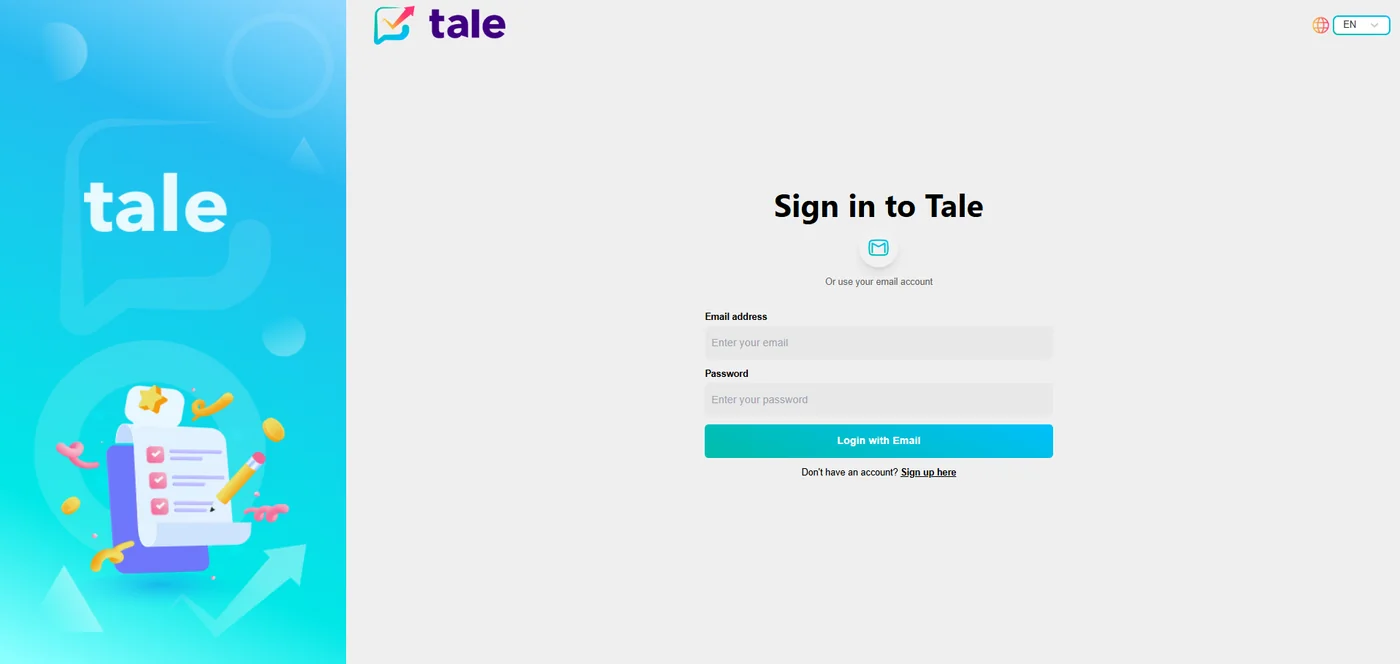
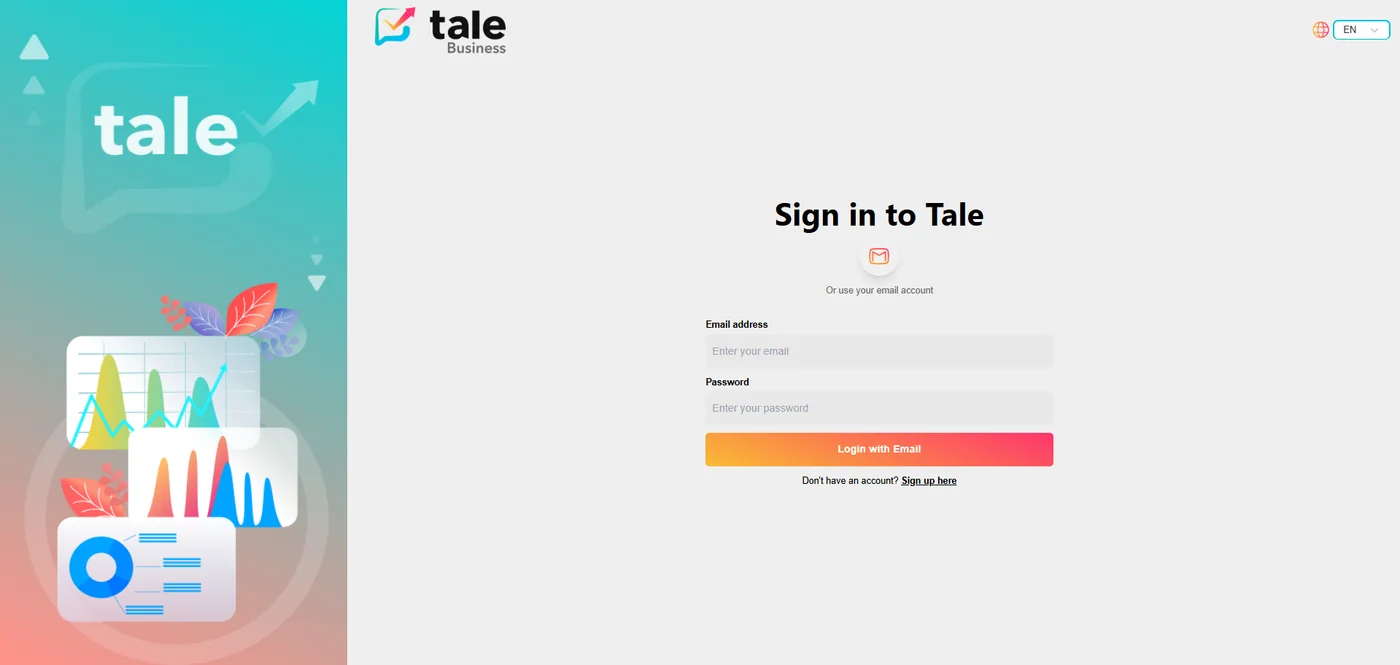
The platform serves three distinct user types — standard users, company accounts, and administrators — each with their own tailored experience, access levels, and capabilities. The two login portals below reflect this split: the standard user entry point and the Tale Business portal for company accounts.
Core Features
📋 Survey Creation & Distribution
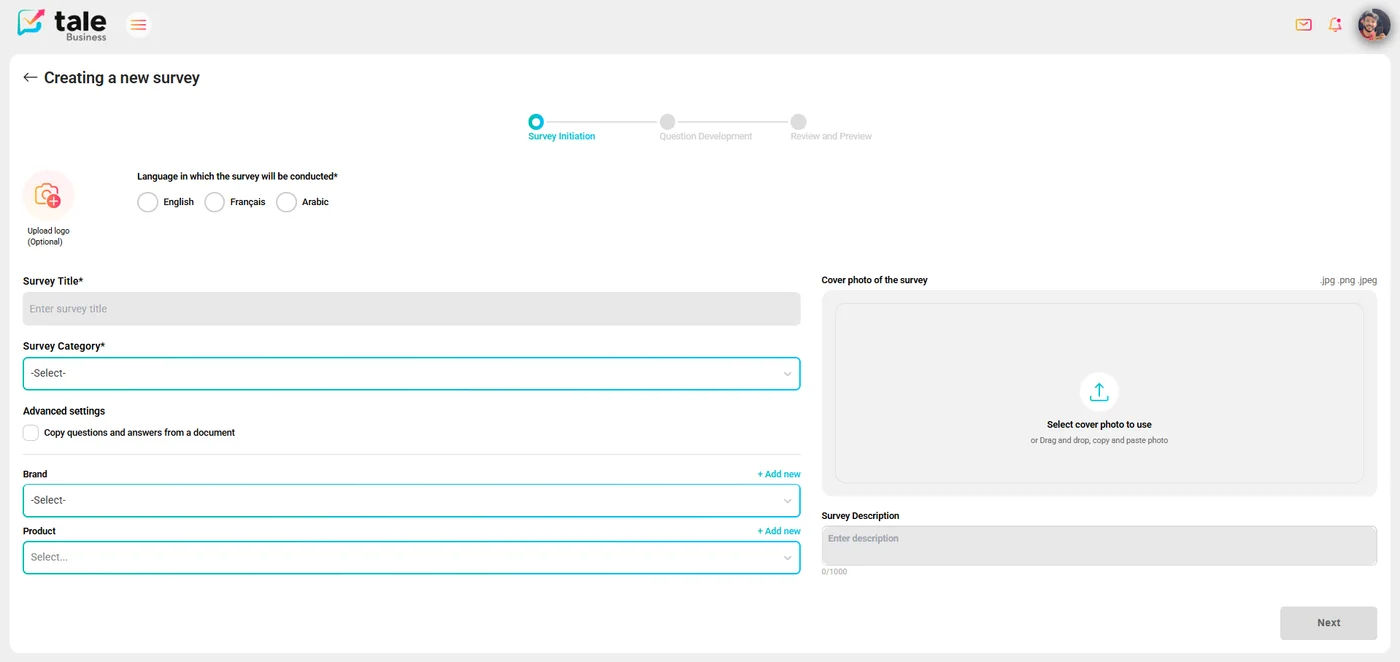
Users can design rich, multi-step surveys with a variety of question types. The creation flow guides company users through a structured wizard: survey initiation (title, category, cover, language, brand), question development, and a final review and preview step. Once published, surveys can be distributed via shareable links or embedded directly into external pages.
🤖 AI-Driven Survey Generation
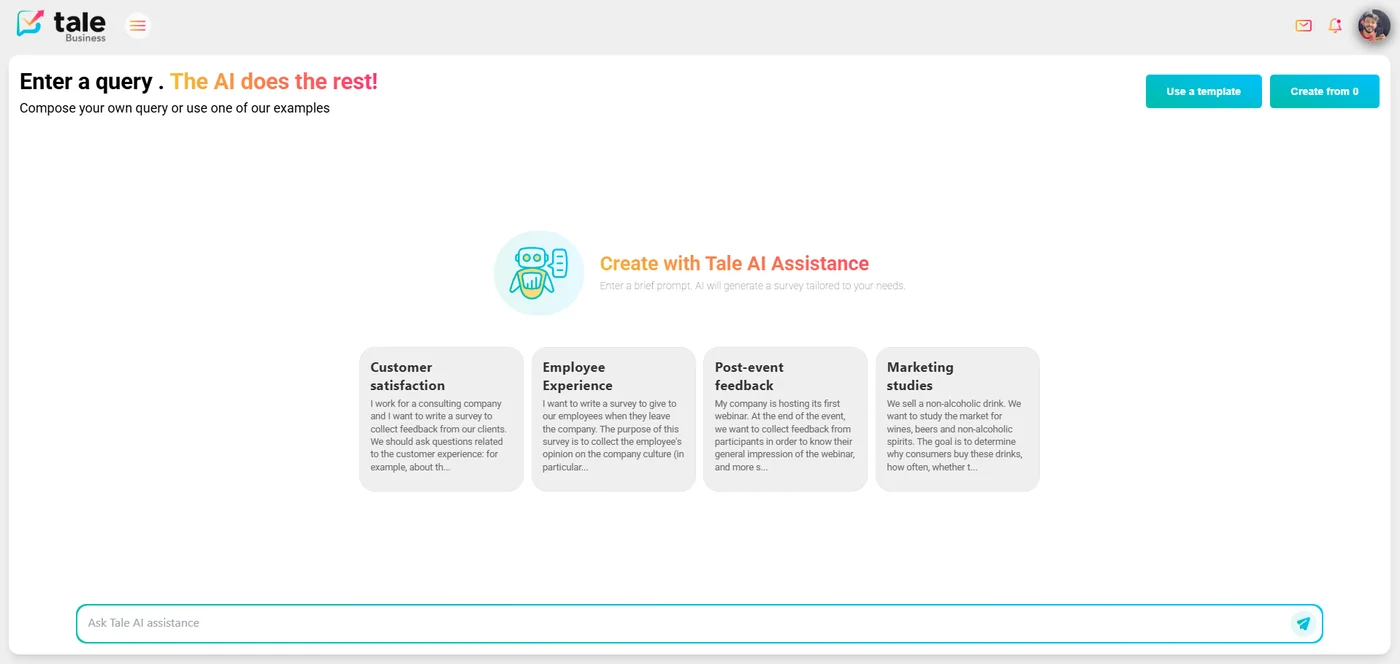
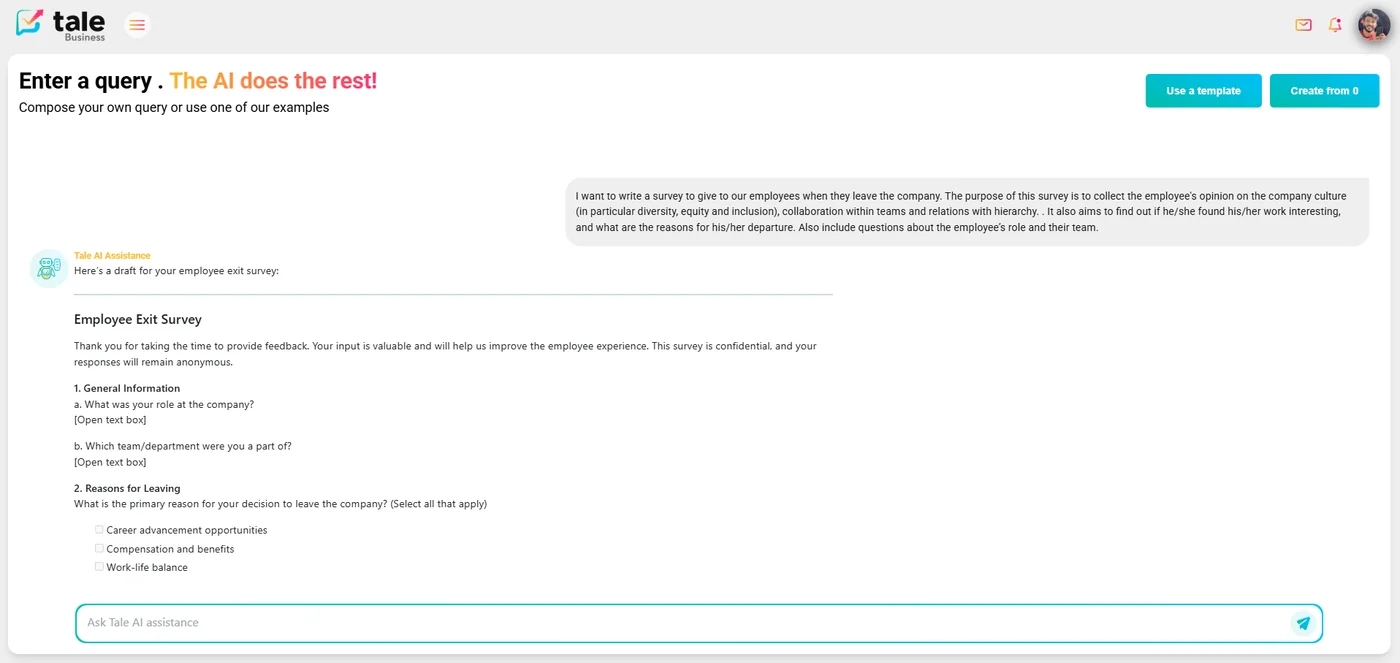
One of Tale's most compelling features is the AI chat interface. Users can describe what kind of survey they need in plain language — or choose from built-in prompt templates (customer satisfaction, employee experience, post-event feedback…) — and the system automatically generates a complete, structured survey including question wording, answer choices, and logical ordering.
🎁 Incentive & Reward System
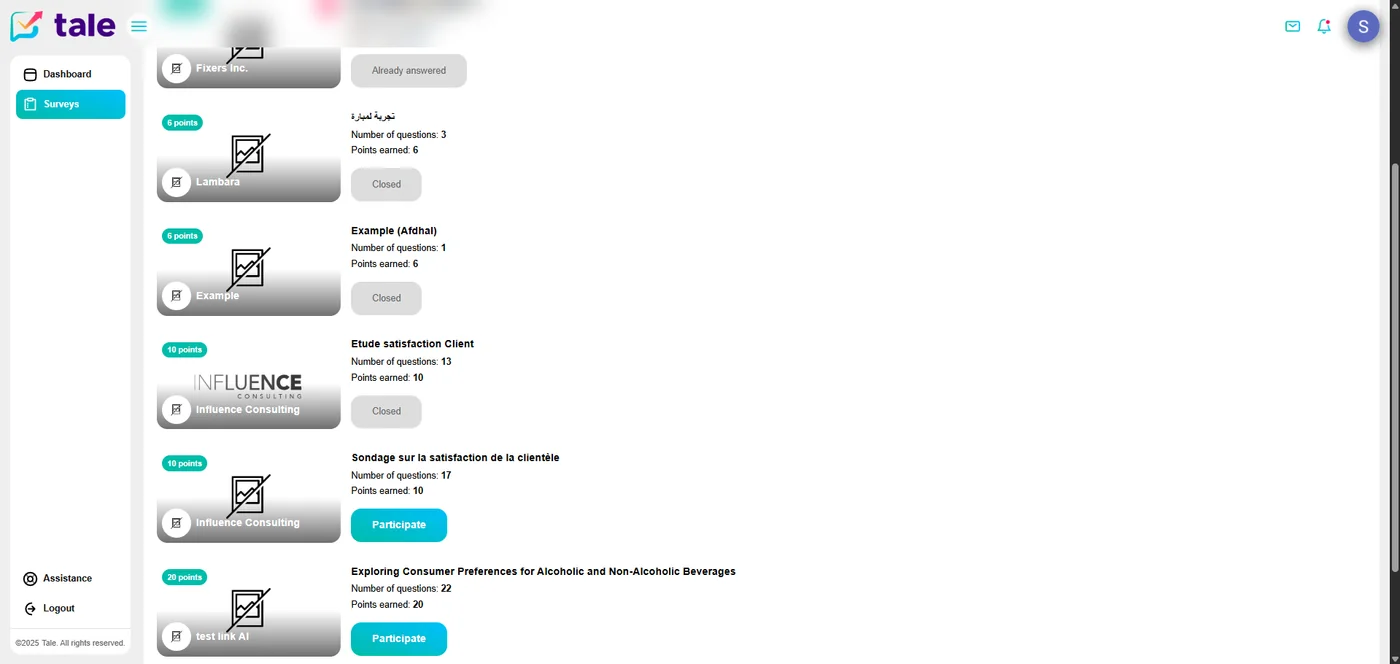
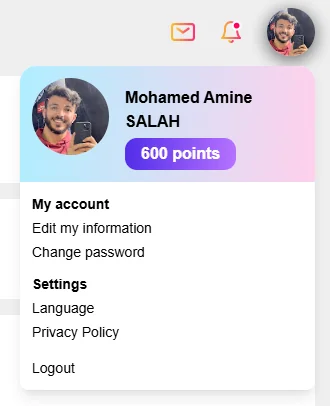
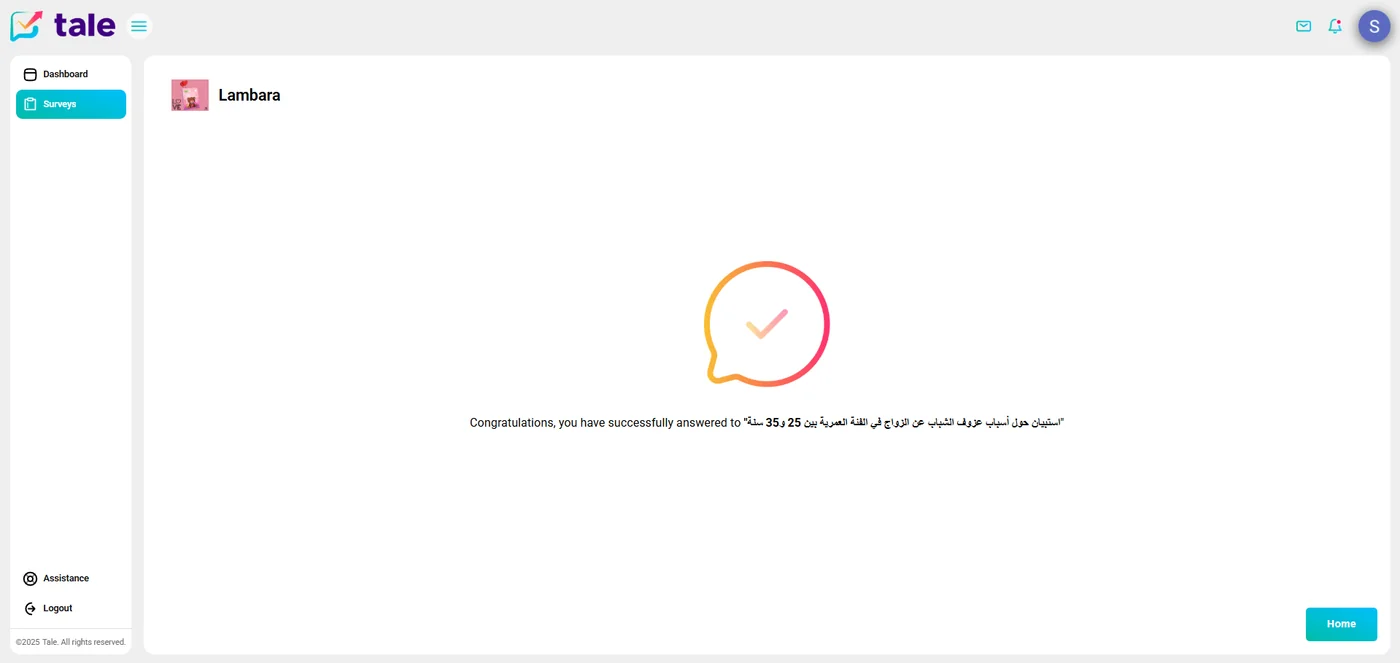
To drive higher completion rates, Tale includes a built-in incentive system. Standard users accumulate points for every survey they complete — visible directly in their profile and displayed as point badges on each available survey card. I designed and implemented the full reward UI: point display, progress tracking per survey, and the congratulations screen shown on successful submission.
📊 Analytics Dashboards
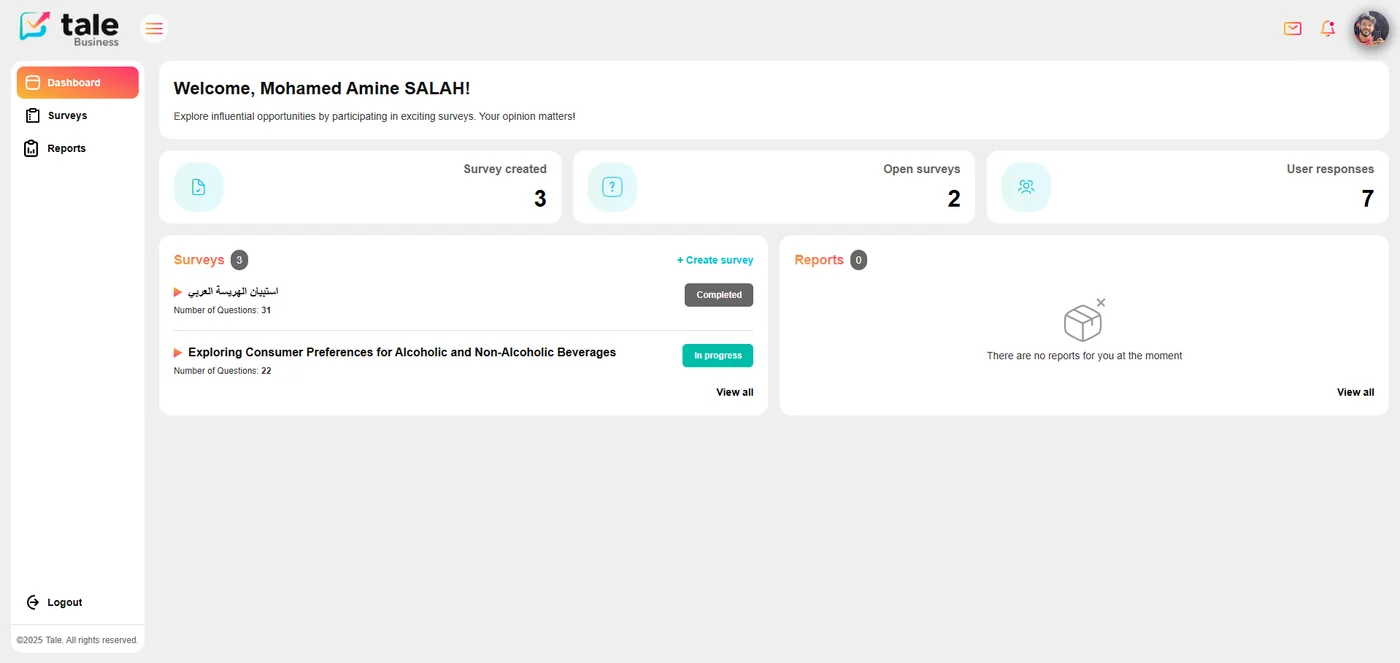
Collected responses are aggregated and visualized through analytics dashboards. The company dashboard surfaces key metrics at a glance — surveys created, open surveys, and total user responses — alongside a live list of active surveys. Survey owners can drill down into response analytics, filtering by demographic dimensions such as country, gender, and age group. I built these views on top of the Tanstack Query ecosystem, ensuring fast data fetching, caching, and seamless pagination across large response datasets.
Role-Based Access Control
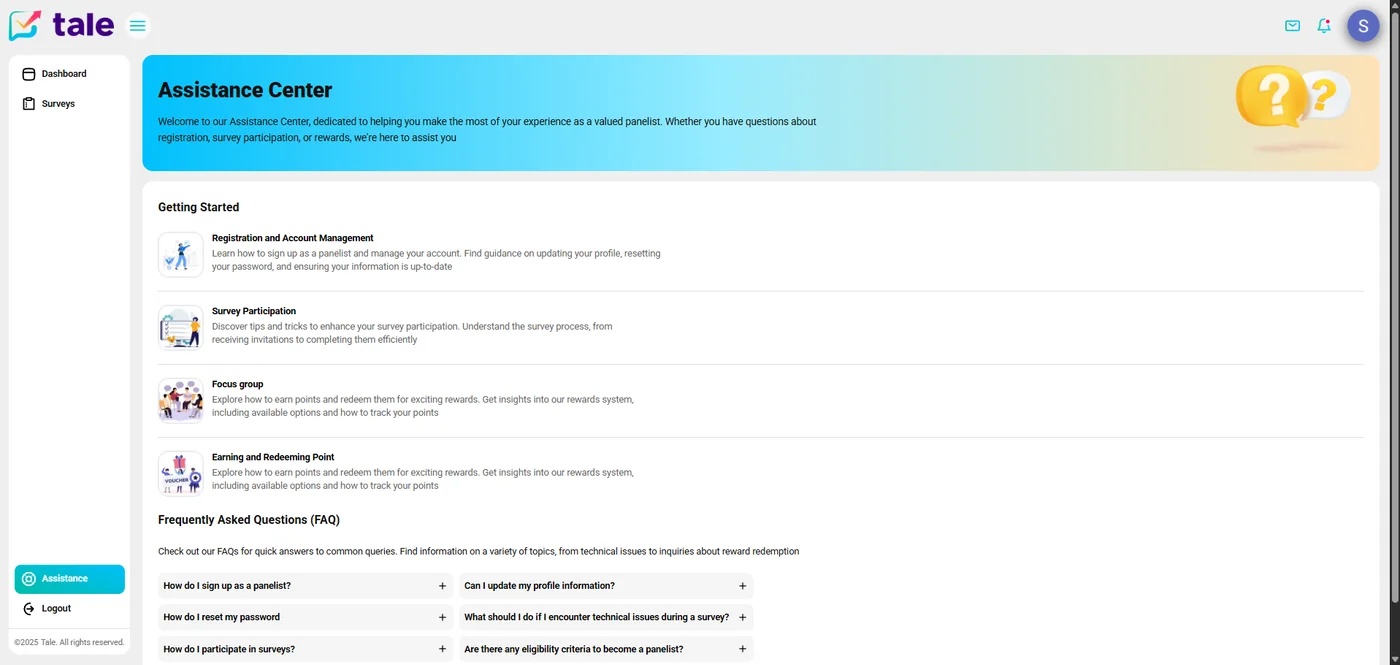
Access control was a central concern from day one. Tale distinguishes between three principal roles, each with a distinct permission boundary and UI surface:
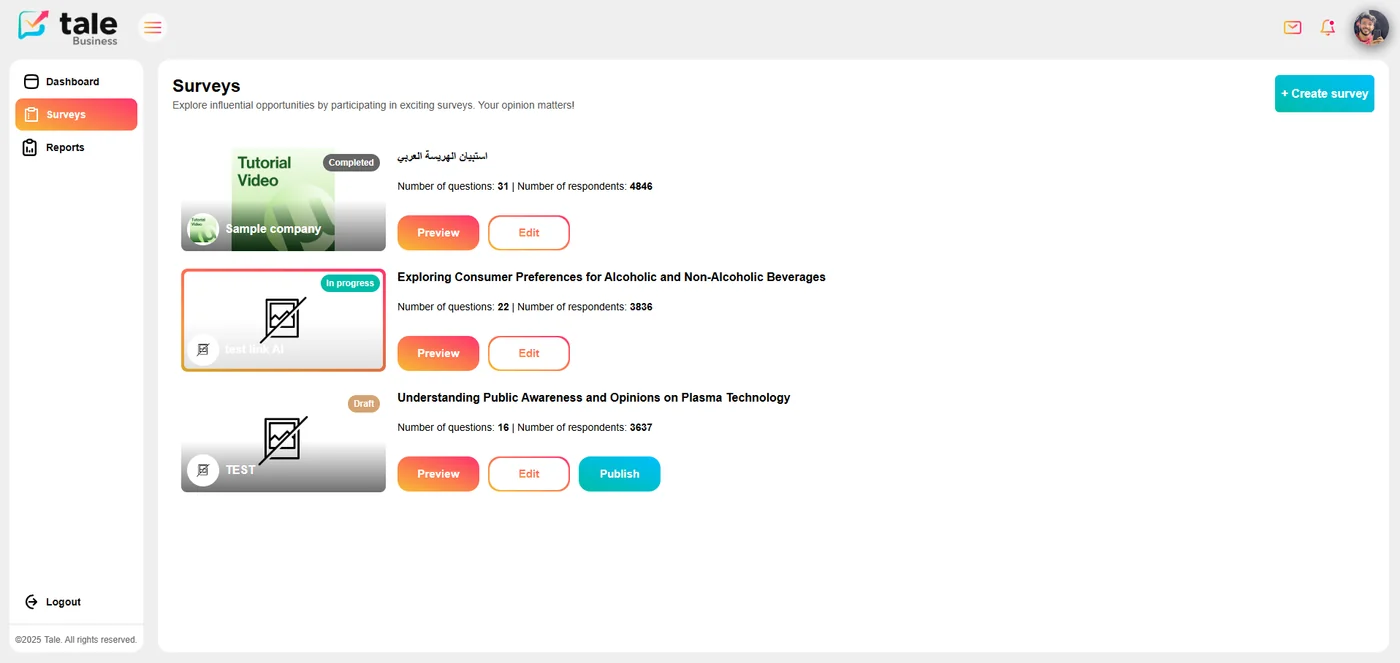
Auth0 powers the authentication layer. I integrated it with the RBAC model so that route guards, component-level rendering, and API calls all respect role boundaries — preventing UI leakage of features that users aren't permitted to access. The contrast between the company sidebar (Dashboard, Surveys, Reports) and the standard user sidebar (Dashboard, Surveys, Assistance) reflects how the same shell renders an entirely different experience per role.
User Experience & Interface
The interface was built with TailwindCSS for consistent, responsive styling and Redux for global state management. Navigation between sections is instant thanks to client-side routing, and all data-fetching operations use Tanstack Query's intelligent caching to avoid redundant network requests.
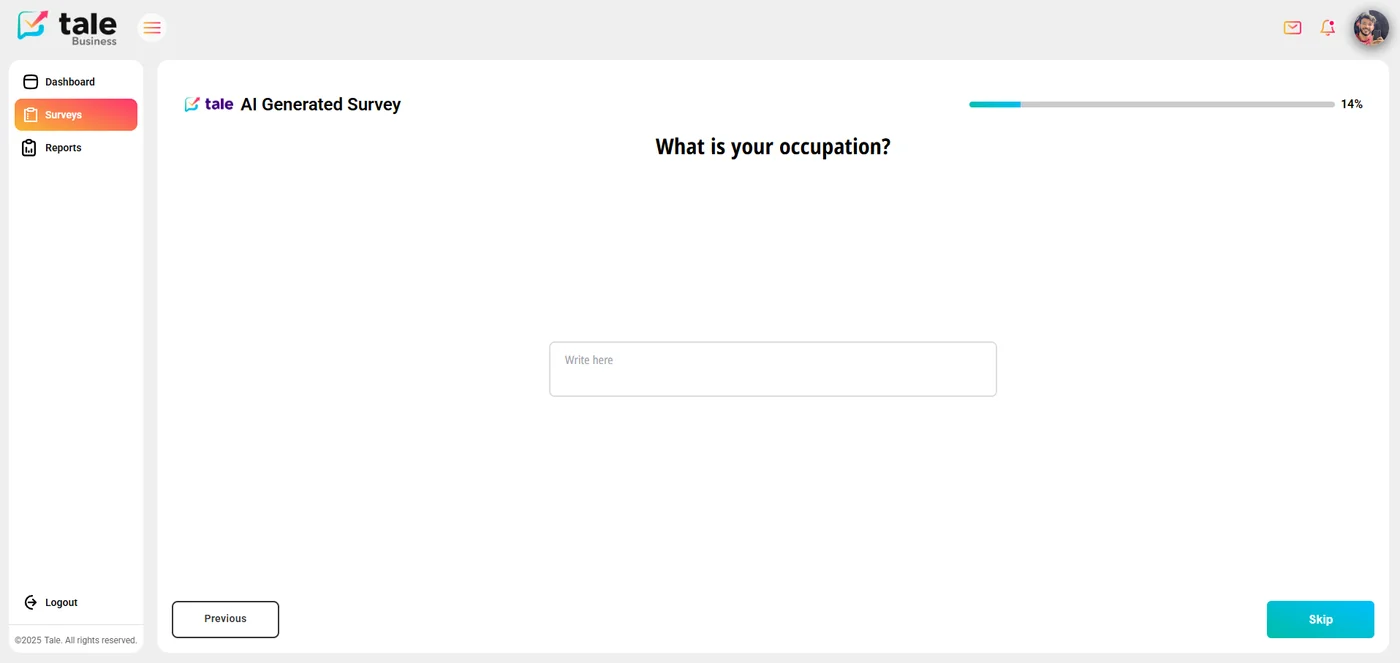
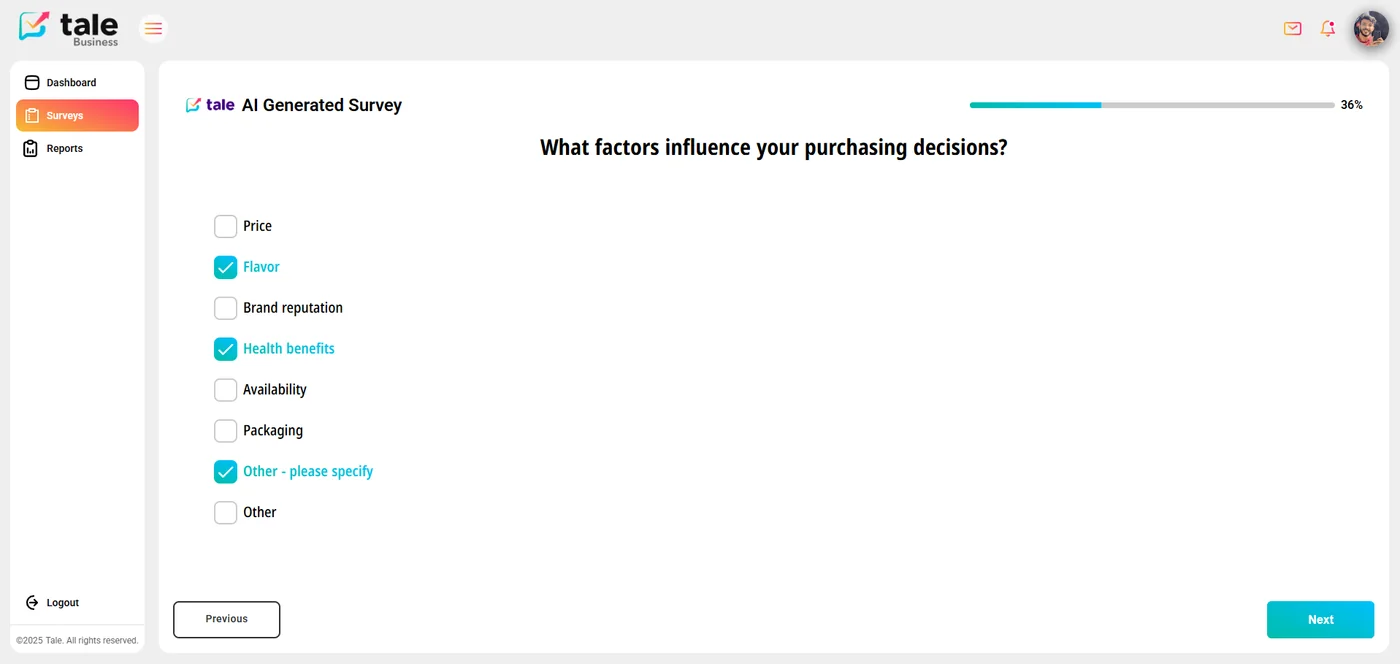
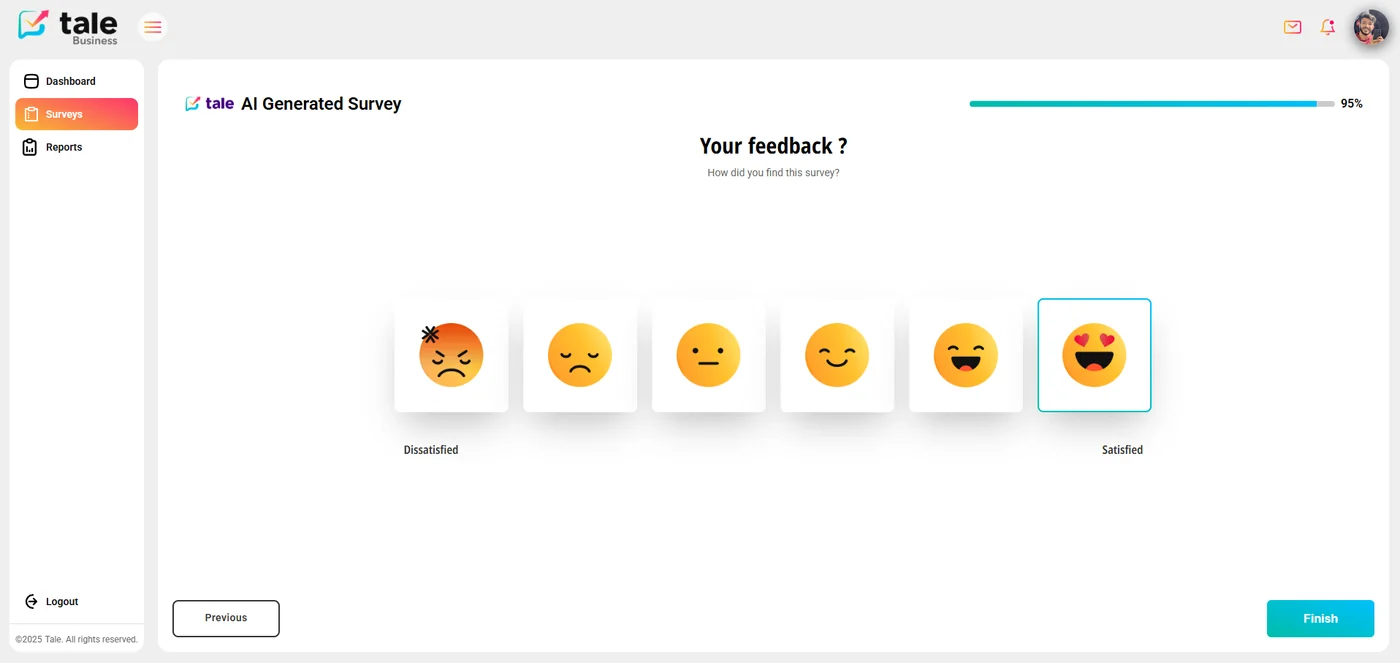
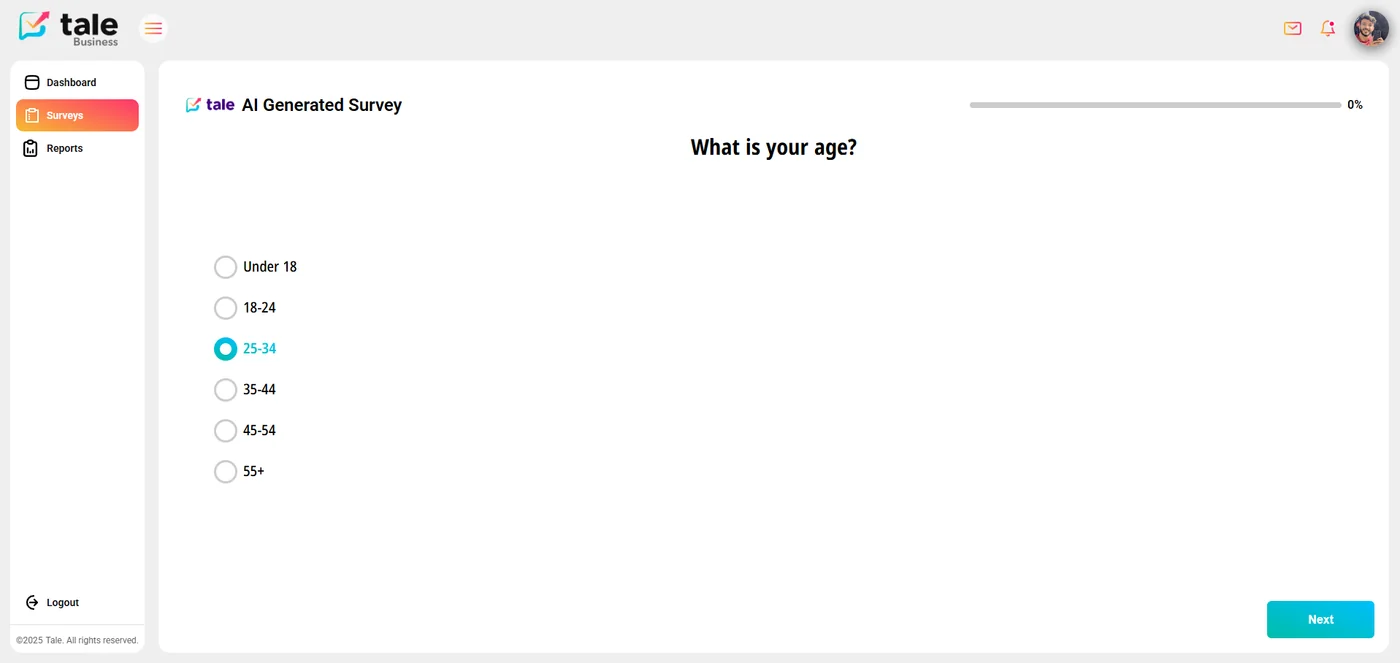
Particular attention was given to the respondent experience. Each survey renders as a full-screen, one-question-at-a-time flow with a progress bar, support for multiple question types (radio, checkbox, open text, emoji rating), and a clean finish screen. The flow below shows a respondent moving through an AI-generated survey.
Question Builder & Rich Media
🔧 Multi-Type Question Editor
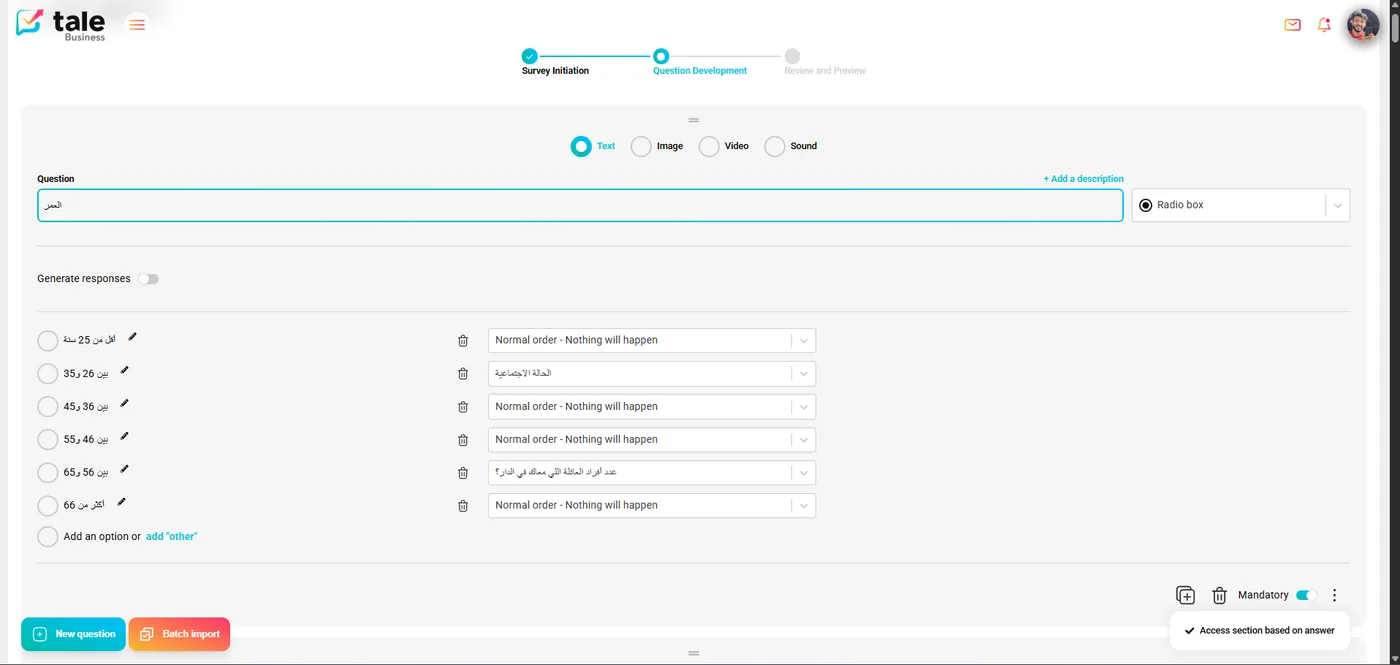
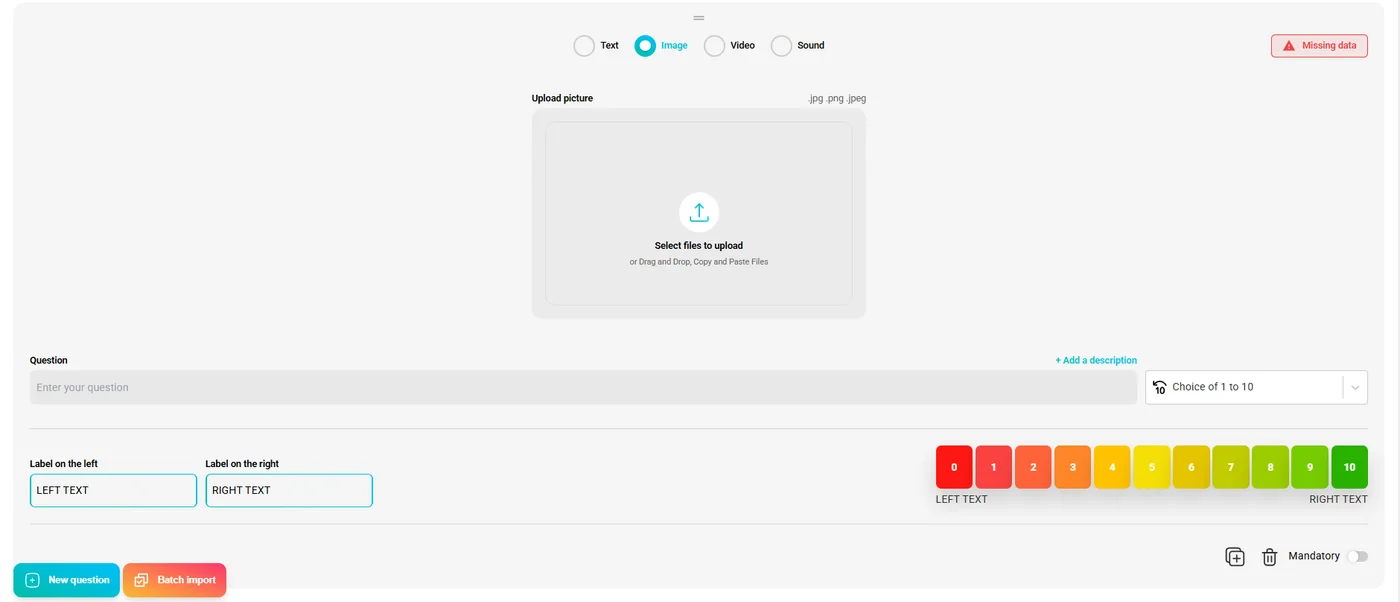
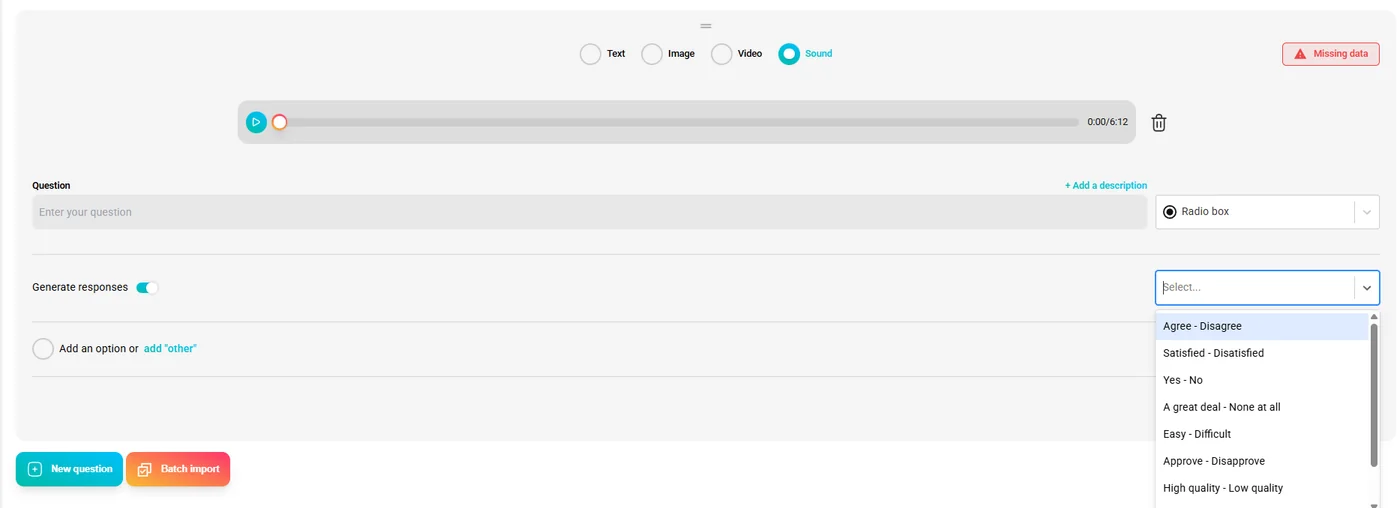
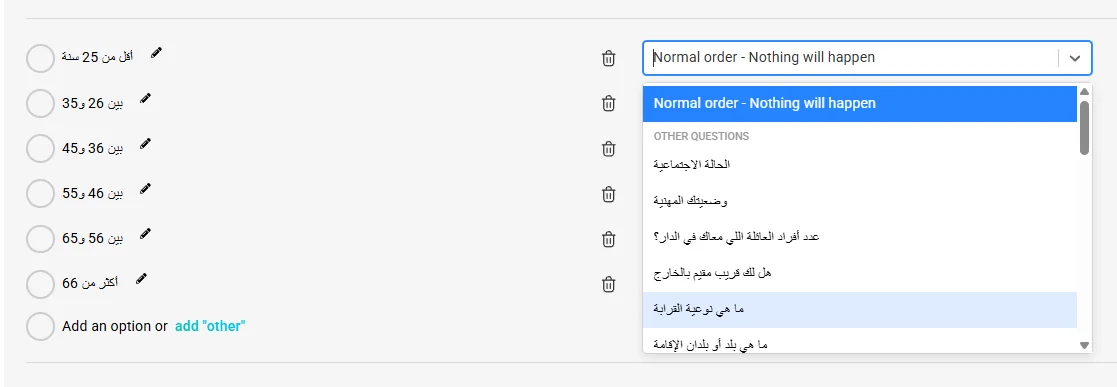
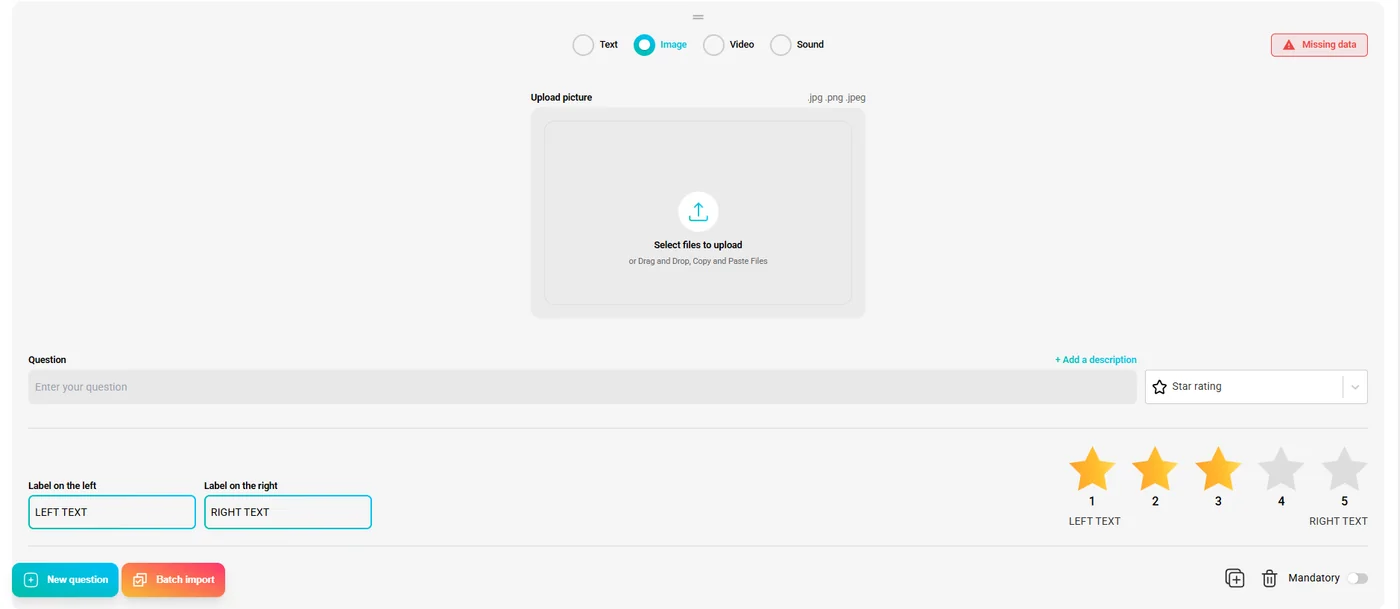
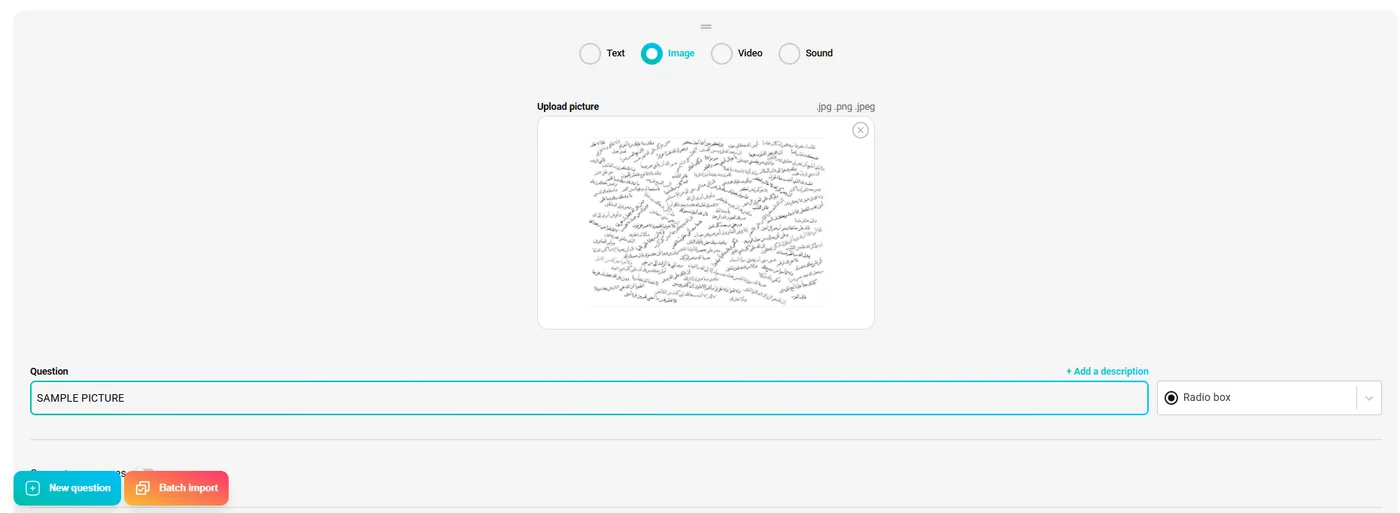
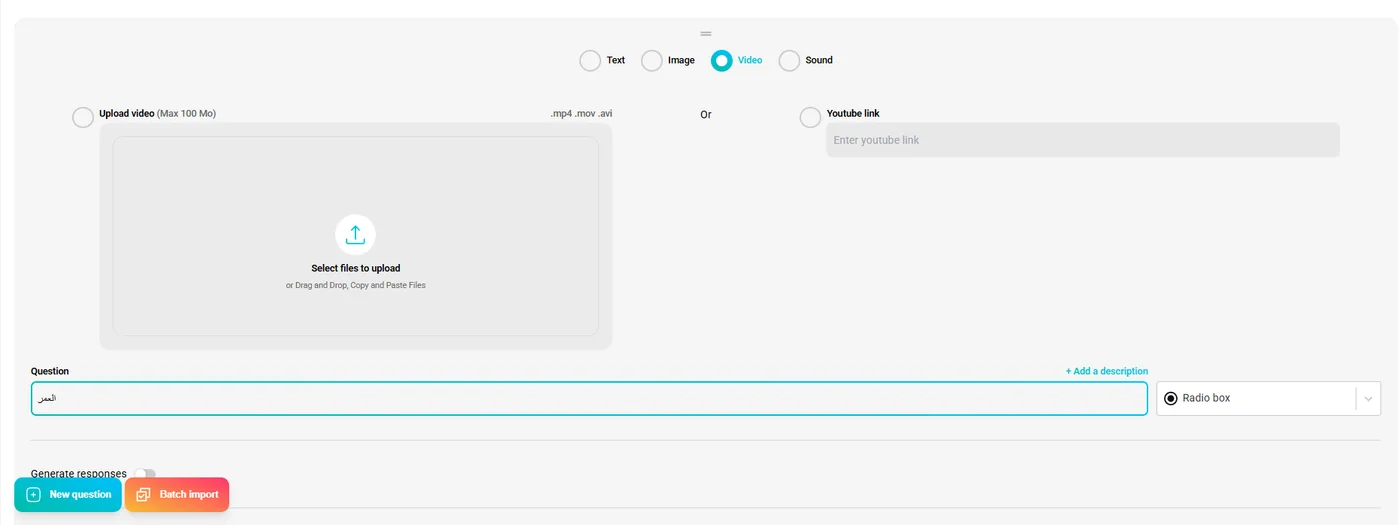
The question development step gives company users a full-featured editor. Each question can be paired with rich media (text, image, video, or audio) and rendered as any of the supported answer types: radio, checkbox, open text, scale (0–10), star rating, or emoji. A "Generate responses" AI toggle can auto-populate answer choices from the question prompt, and each answer can trigger conditional branching to a different section.
📥 Batch Import
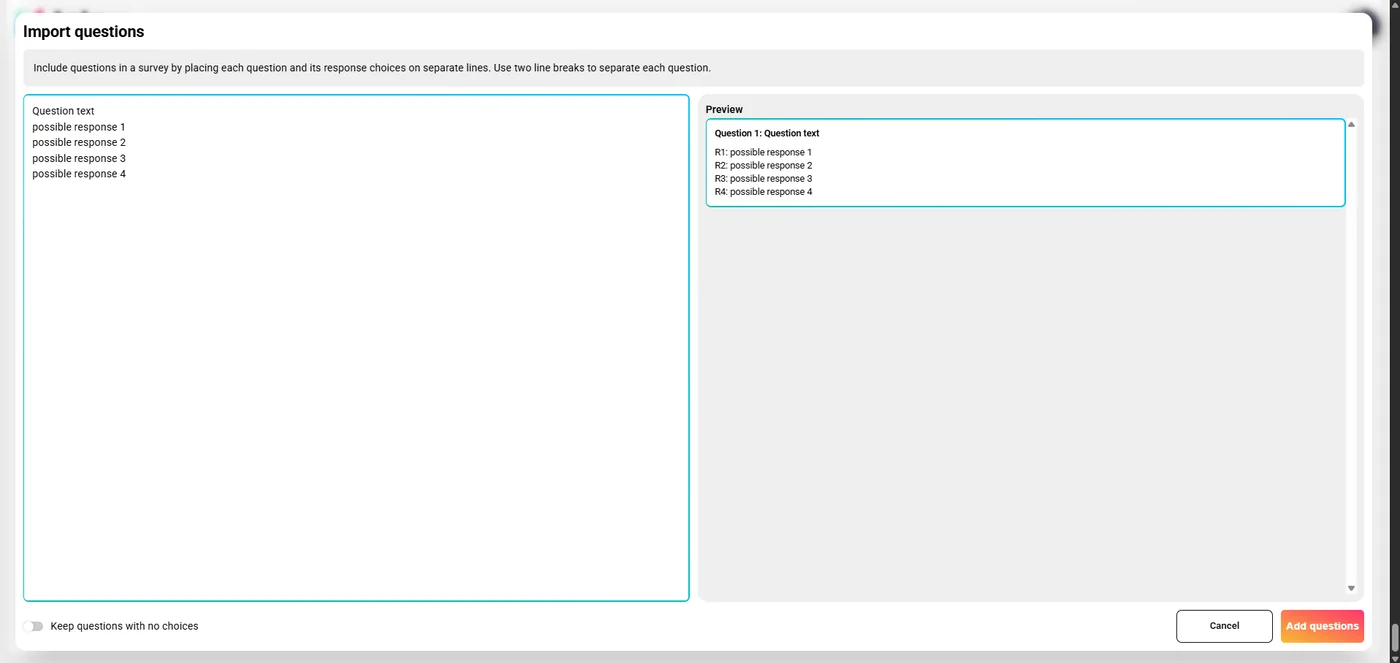
For users who already have a draft survey written up, a batch import modal lets them paste questions and answer choices in a plain-text format and preview the parsed result before adding all questions at once — dramatically reducing manual entry time.
API Integration & Feature Flags
🔗 Seamless API Integration
All platform data flows through a well-defined REST API layer. I handled the full integration on the front end — structuring API calls, normalizing response shapes, and wiring data into the relevant components. Survey CRUD operations (close, duplicate, share, delete) are surfaced through a contextual action menu per survey card. Activity tracking events (survey views, completions, time-on-page) are also dispatched to the backend in the background without blocking user interactions.

🚩 Feature Flags for Phased Rollouts
Throughout development, feature flags were used to decouple UI delivery from backend API readiness. New pages, components, and entire sections could be toggled on or off at the environment level — enabling the front-end team to build and test ahead of schedule without shipping incomplete experiences to end users. The AI-assisted creation path, for example, was built and tested behind a flag well before the LLM backend was production-ready.
Gallery
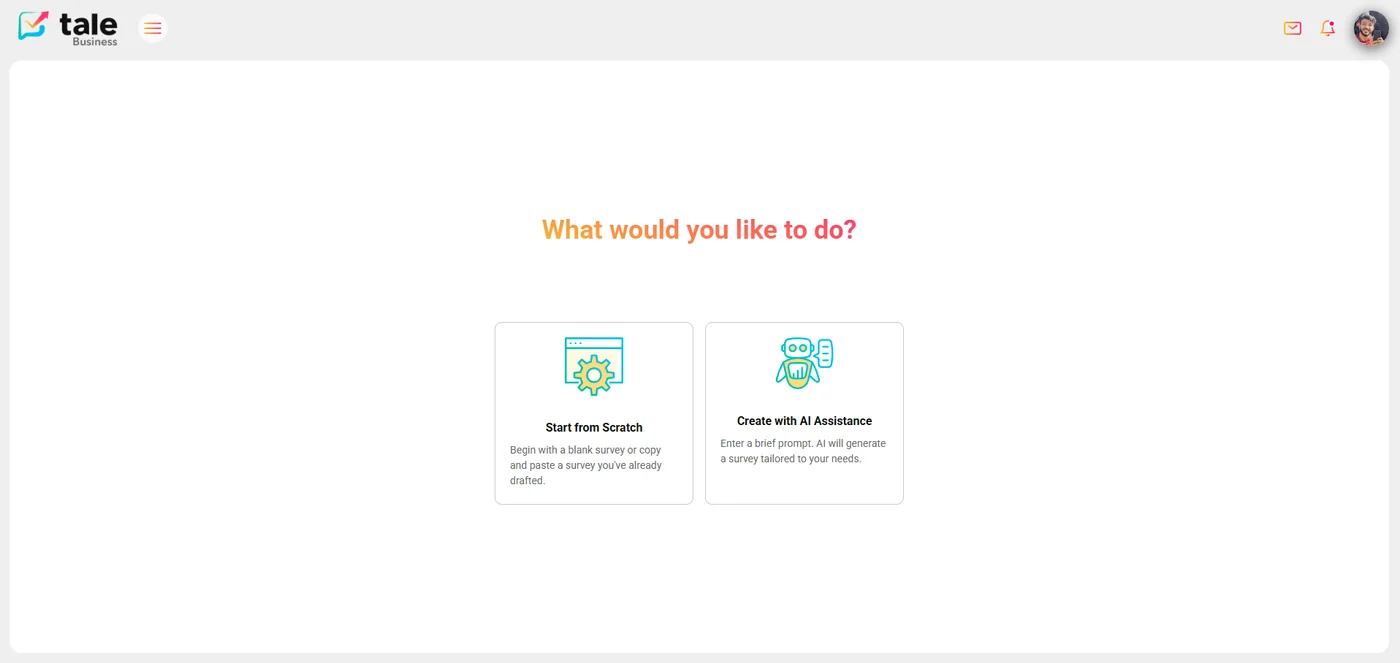
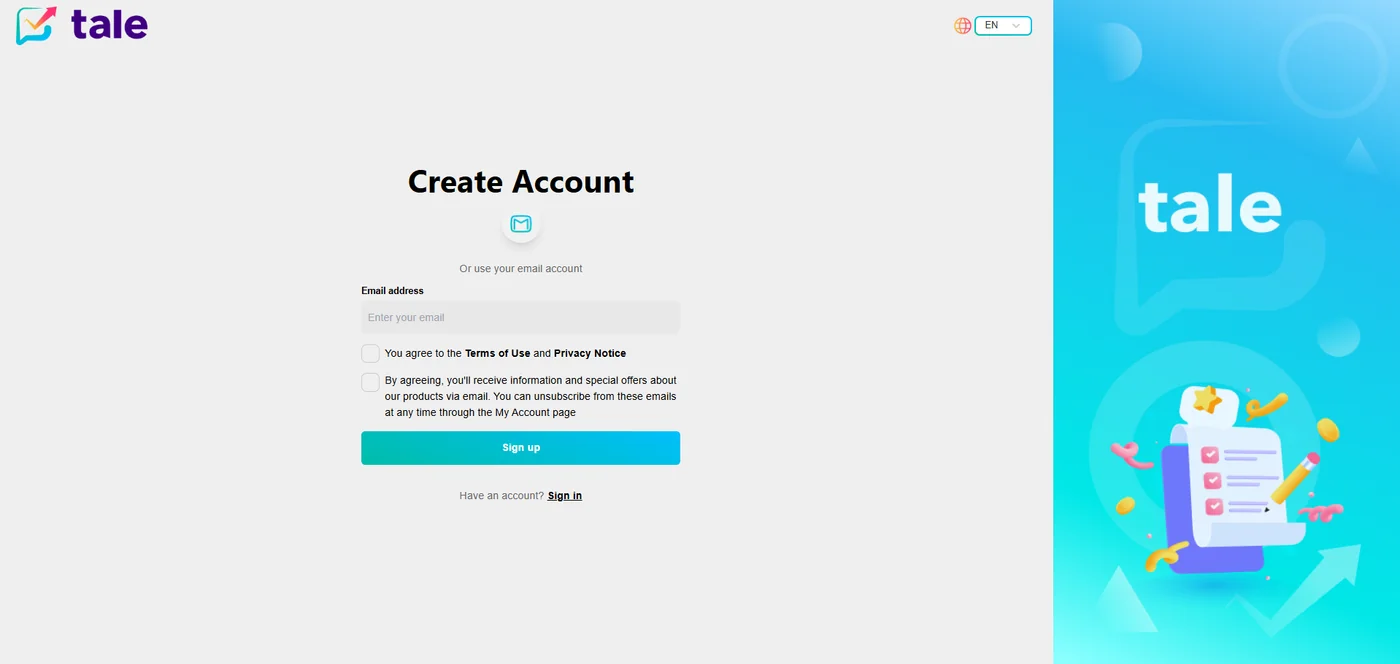
Additional screens covering the sign-up flow, question types, and the survey-taking experience.
Technical Stack
The front end was built entirely in React with the following key technologies:
Conclusion
Tale was a rewarding project that pushed me to think holistically about user experience across multiple personas. Building an AI-integrated product while maintaining strict role-based access boundaries required careful architecture decisions — from how state is structured in Redux to how API calls are gated by auth claims.
The feature flag system also gave me valuable experience shipping production-grade front-end code in a team setting where the back end and front end don't always move at the same pace. Overall, Tale represents a mature, production-ready platform built with scalability and user empowerment at its core.
Introduction
Tale is an AI-powered survey platform designed to make the entire survey lifecycle — creation, distribution, and analysis — smarter and more intuitive. As a front-end engineer on this project, I was responsible for architecting and building the full React interface: from the authentication flow and role-based dashboards to the AI-driven chat experience that generates surveys on the fly.
The platform serves three distinct user types — standard users, company accounts, and administrators — each with their own tailored experience, access levels, and capabilities. The two login portals below reflect this split: the standard user entry point and the Tale Business portal for company accounts.
Core Features
📋 Survey Creation & Distribution
Users can design rich, multi-step surveys with a variety of question types. The creation flow guides company users through a structured wizard: survey initiation (title, category, cover, language, brand), question development, and a final review and preview step. Once published, surveys can be distributed via shareable links or embedded directly into external pages.
🤖 AI-Driven Survey Generation
One of Tale's most compelling features is the AI chat interface. Users can describe what kind of survey they need in plain language — or choose from built-in prompt templates (customer satisfaction, employee experience, post-event feedback…) — and the system automatically generates a complete, structured survey including question wording, answer choices, and logical ordering.
🎁 Incentive & Reward System
To drive higher completion rates, Tale includes a built-in incentive system. Standard users accumulate points for every survey they complete — visible directly in their profile and displayed as point badges on each available survey card. I designed and implemented the full reward UI: point display, progress tracking per survey, and the congratulations screen shown on successful submission.
📊 Analytics Dashboards
Collected responses are aggregated and visualized through analytics dashboards. The company dashboard surfaces key metrics at a glance — surveys created, open surveys, and total user responses — alongside a live list of active surveys. Survey owners can drill down into response analytics, filtering by demographic dimensions such as country, gender, and age group. I built these views on top of the Tanstack Query ecosystem, ensuring fast data fetching, caching, and seamless pagination across large response datasets.
Role-Based Access Control
Access control was a central concern from day one. Tale distinguishes between three principal roles, each with a distinct permission boundary and UI surface:
Auth0 powers the authentication layer. I integrated it with the RBAC model so that route guards, component-level rendering, and API calls all respect role boundaries — preventing UI leakage of features that users aren't permitted to access. The contrast between the company sidebar (Dashboard, Surveys, Reports) and the standard user sidebar (Dashboard, Surveys, Assistance) reflects how the same shell renders an entirely different experience per role.
User Experience & Interface
The interface was built with TailwindCSS for consistent, responsive styling and Redux for global state management. Navigation between sections is instant thanks to client-side routing, and all data-fetching operations use Tanstack Query's intelligent caching to avoid redundant network requests.
Particular attention was given to the respondent experience. Each survey renders as a full-screen, one-question-at-a-time flow with a progress bar, support for multiple question types (radio, checkbox, open text, emoji rating), and a clean finish screen. The flow below shows a respondent moving through an AI-generated survey.
Question Builder & Rich Media
🔧 Multi-Type Question Editor
The question development step gives company users a full-featured editor. Each question can be paired with rich media (text, image, video, or audio) and rendered as any of the supported answer types: radio, checkbox, open text, scale (0–10), star rating, or emoji. A "Generate responses" AI toggle can auto-populate answer choices from the question prompt, and each answer can trigger conditional branching to a different section.
📥 Batch Import
For users who already have a draft survey written up, a batch import modal lets them paste questions and answer choices in a plain-text format and preview the parsed result before adding all questions at once — dramatically reducing manual entry time.
API Integration & Feature Flags
🔗 Seamless API Integration
All platform data flows through a well-defined REST API layer. I handled the full integration on the front end — structuring API calls, normalizing response shapes, and wiring data into the relevant components. Survey CRUD operations (close, duplicate, share, delete) are surfaced through a contextual action menu per survey card. Activity tracking events (survey views, completions, time-on-page) are also dispatched to the backend in the background without blocking user interactions.
🚩 Feature Flags for Phased Rollouts
Throughout development, feature flags were used to decouple UI delivery from backend API readiness. New pages, components, and entire sections could be toggled on or off at the environment level — enabling the front-end team to build and test ahead of schedule without shipping incomplete experiences to end users. The AI-assisted creation path, for example, was built and tested behind a flag well before the LLM backend was production-ready.
Gallery
Additional screens covering the sign-up flow, question types, and the survey-taking experience.
Technical Stack
The front end was built entirely in React with the following key technologies:
Conclusion
Tale was a rewarding project that pushed me to think holistically about user experience across multiple personas. Building an AI-integrated product while maintaining strict role-based access boundaries required careful architecture decisions — from how state is structured in Redux to how API calls are gated by auth claims.
The feature flag system also gave me valuable experience shipping production-grade front-end code in a team setting where the back end and front end don't always move at the same pace. Overall, Tale represents a mature, production-ready platform built with scalability and user empowerment at its core.
click to navigate